Dashboards · MOZA Pit House (wheel / CM screen) · Le Mans Ultimate
LMP2
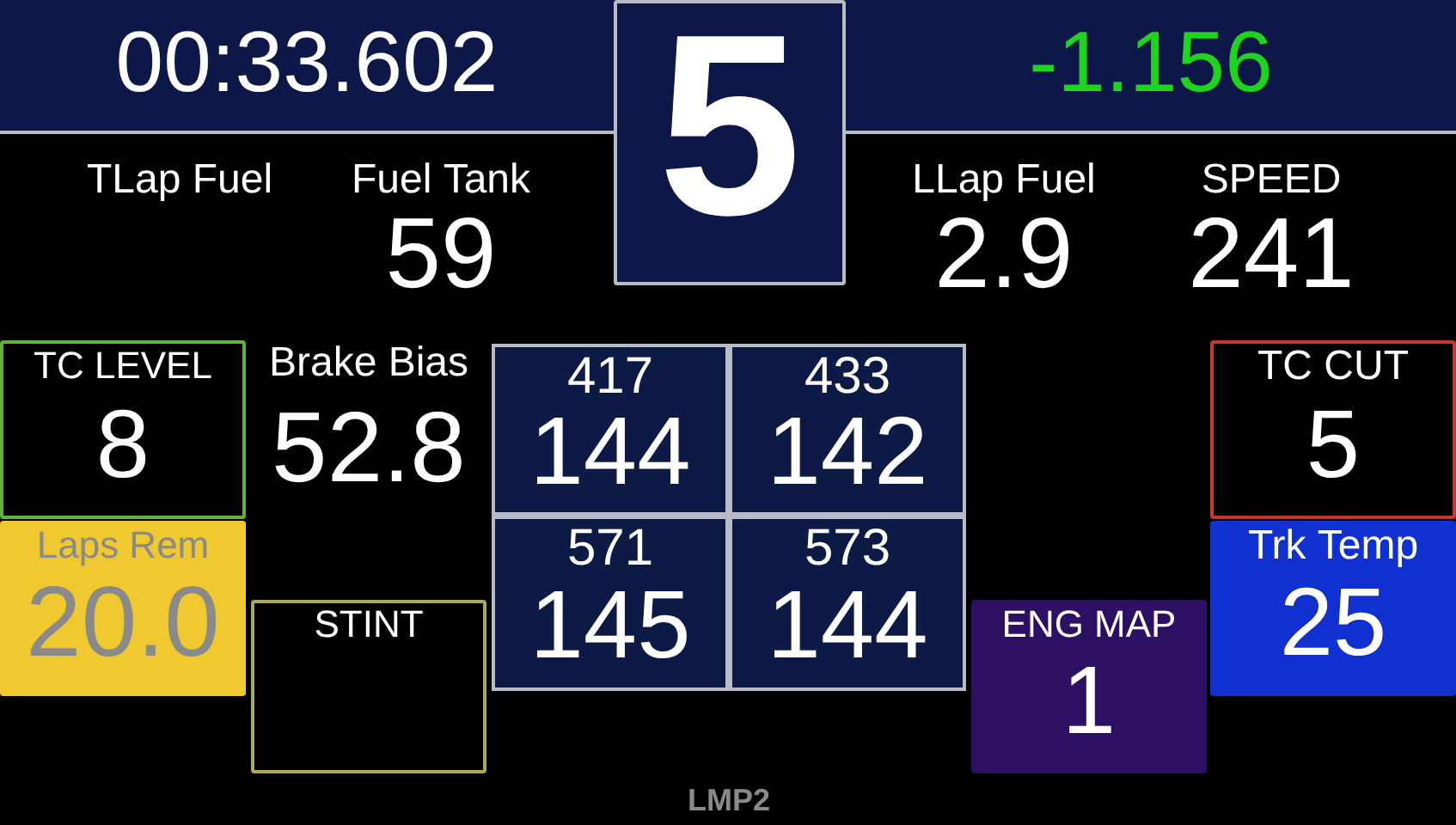
The LMP2's Cosworth wheel screen from Le Mans Ultimate, moved onto the MOZA FSR2.
Install
- If it is a zip, unzip it, then use Import on the Pit House dashboard screen and pick the .mzdash file. If there is a Resource folder, keep it next to the file.
- If a dashboard with the same name already exists, Pit House silently refuses. Delete the old one first when installing a new version.
About
A navy band at the top holds the current lap time and the delta with the gear between them; under it TLap Fuel, Fuel Tank, LLap Fuel and SPEED. The middle row is TC LEVEL (filled green while it cuts in), Brake Bias, a 2×2 of tyres (brake temperature and pressure) and TC CUT. The bottom row is laps left on fuel (Laps Rem), STINT, ENG MAP and Trk Temp.
The delta is green when faster and red when slower. A flag recolours the top band. Where the original shows the maker's logo, only the car class is written.
Cells the game gives no value for stay empty. For the 847×480 FSR2 wheel screen.
This dashboard is generated from code in dashboards/lmp2-cosworth/ in the repository. To change something, look at generate.py in that folder.